
P2P Bangla QR is a unique QR code that enables banking app users to transfer funds conveniently by scanning an individual's P2P Bangla QR. It is an initiative of Bangladesh Bank aimed at simplifying and streamlining the fund transfer process.
The facility eliminates the need for users to manually enter details such as the recipient's account number, account title, and other relevant information when initiating a bank transfer. By simply scanning the recipient's P2P Bangla QR, users can retrieve the required beneficiary information and proceed with the fund transfer in a faster, easier, and more convenient manner.
You can view your P2P Bangla QR by following the steps below:
Login → Account Tray → Tap the QR icon beside the Account Number in Account Tray
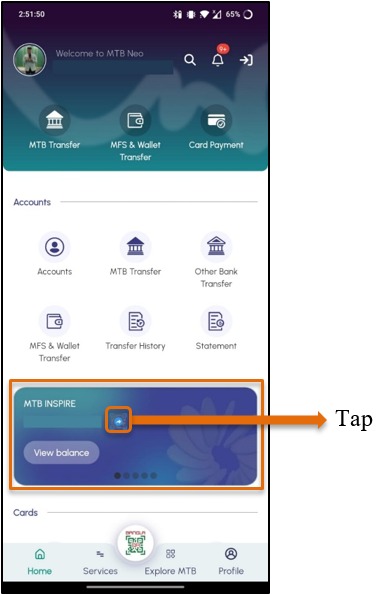
Your P2P Bangla QR can then be shared with another MTB customer to receive funds.
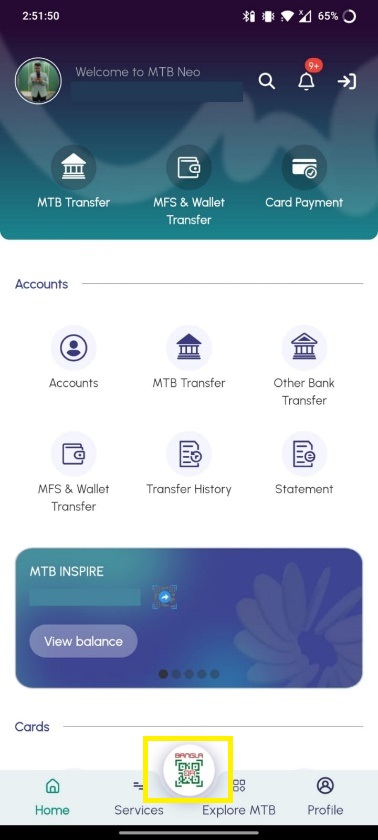
Transfer can be done in two ways (After Login & Before Login). Follow the steps below:
Way 1 (After Login):
Login → Tap the “Bangla QR” logo at the bottom-middle of the screen → Scan or Upload Bangla QR → Select Source Account/Card → Enter Amount → OTP Verification → Transfer
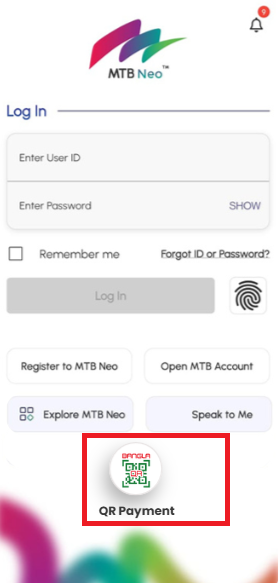
Way 2 (Before Login):
Open MTB Neo → Tap the QR icon on the login screen → Complete Biometric Verification → Scan or Upload the Bangla QR → Select Source Account/Card → Enter Amount → Verify the Transfer Details through OTP → Confirm the Transaction
Note: Biometric Login must be enabled as a prerequisite for activating the Bangla QR Scan & Payment facility
To enable the P2P Bangla QR facility for use before login, follow these steps:
Login to MTB Neo → Go to Profile → Enable Biometric Login → Enable “Bangla QR Scan & Payment” → Complete Biometric Verification
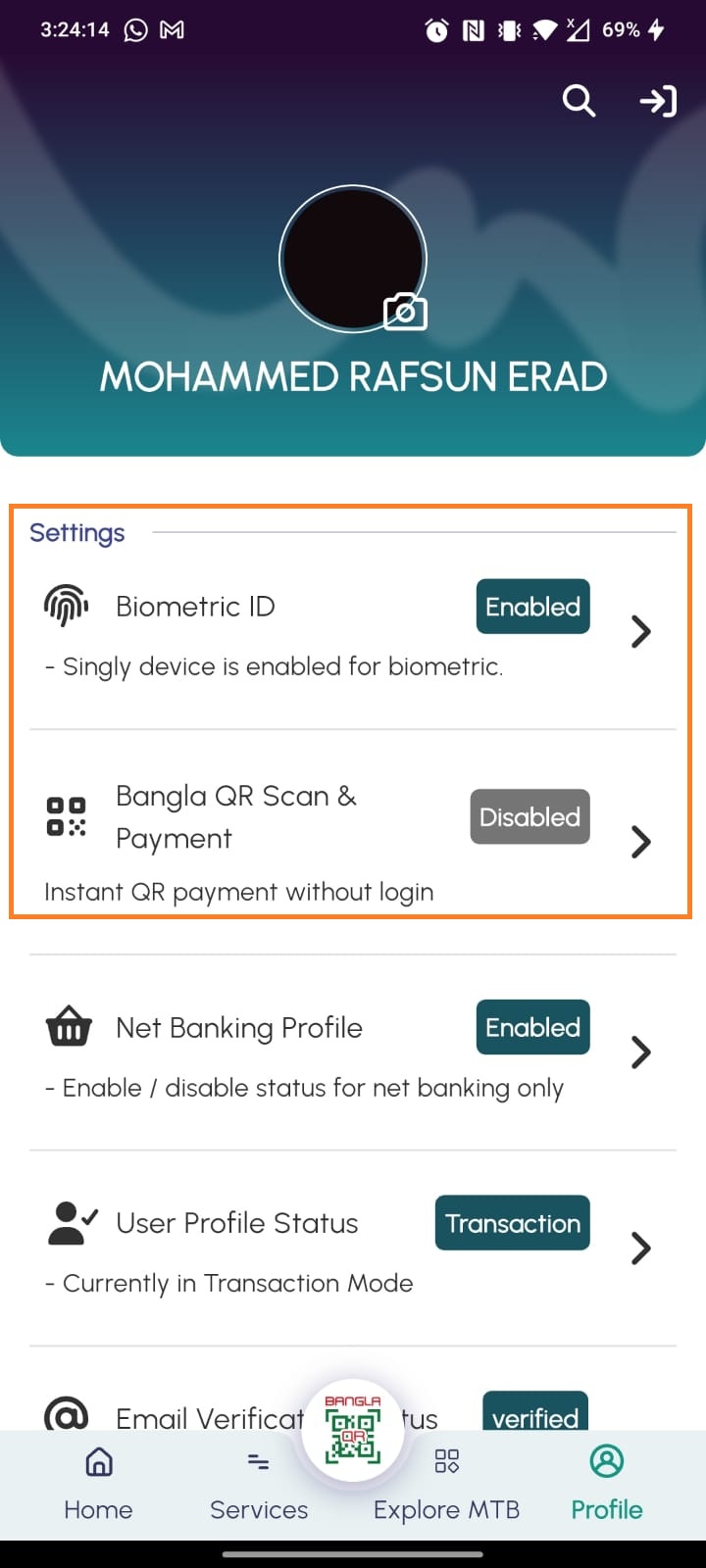
Once enabled, the customer can access P2P Bangla QR Fund Transfer directly from the login screen.
Yes. You can either scan the P2P Bangla QR using your device camera or upload a saved QR image from your device.
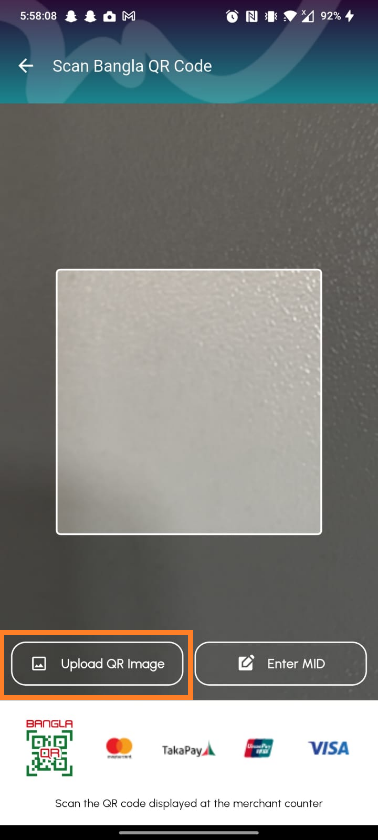
The uploaded QR must be a valid P2P Bangla QR generated from MTB Neo.
Yes. While performing the transfer, you can save the recipient as a beneficiary and provide a preferred nickname.
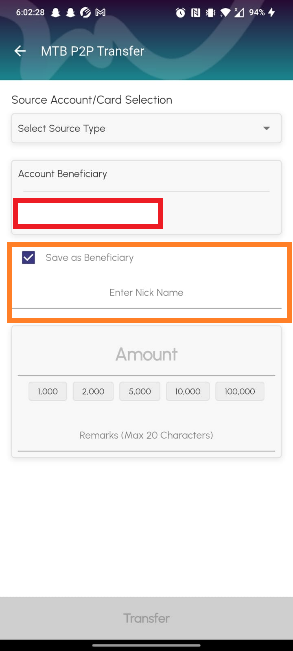
The beneficiary will be directly saved to your beneficiary list and can be used for future transfers.
Yes. Fund transfer through P2P Bangla QR can be done to other supported Bank/ MFS/ PSP.
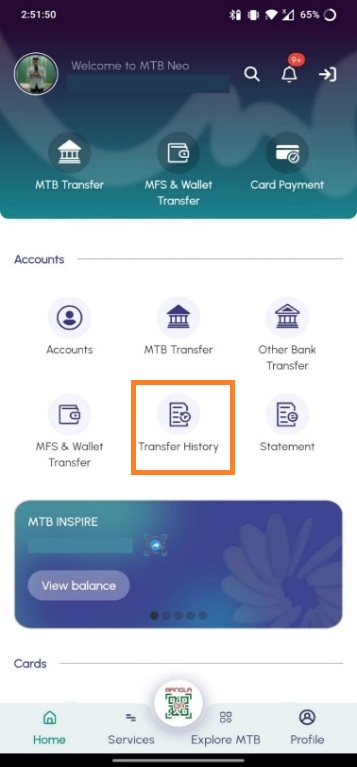
P2P Bangla QR transactions can be identified from the Transfer History section of MTB Neo.
Follow the steps:Login → Account → Transfer History→MTB
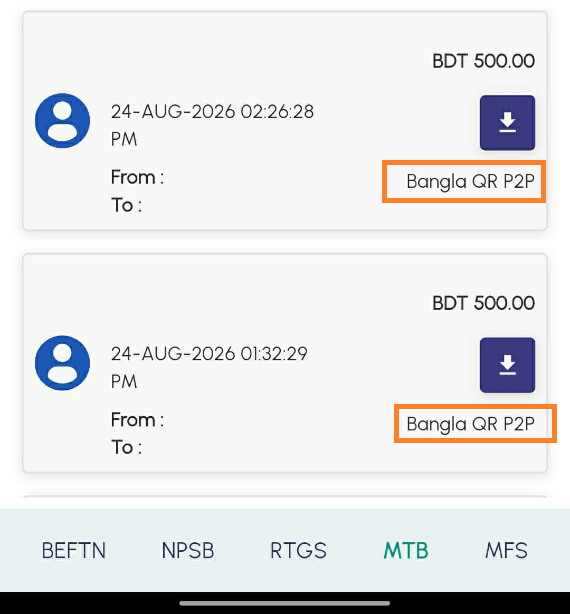
Transactions completed through this facility will carry the “P2P Bangla QR” marking.
Currently, P2P Bangla QR transactions can be identified only through the Transfer History section of MTB Neo (Please follow Question 9 above).
At present, the “P2P Bangla QR” marking will not be available in account/card-wise transaction history, statements, invoices, or other related transaction records.
This functionality will be incorporated in a subsequent release.
Yes. Once the transfer is successfully completed, the transferred amount will be credited to the destination account associated with the recipient's P2P Bangla QR.
Yes. OTP verification is required to complete a P2P Bangla QR Fund Transfer, providing an additional layer of security for the transaction.
Yes. The QR icon available on the MTB Neo login screen provides a single access point for both Bangla QR Merchant Payment and P2P Bangla QR Fund Transfer.
After scanning or uploading a Bangla QR, MTB Neo will identify the QR type and direct the customer to the appropriate payment or fund transfer journey.
Bangla QR generated through the “Account QR” option in the Account Tray does not expire. You can save your own or another MTB customer’s Bangla QR in your gallery and use it later for transfer purposes.